✓
Tasks with focus
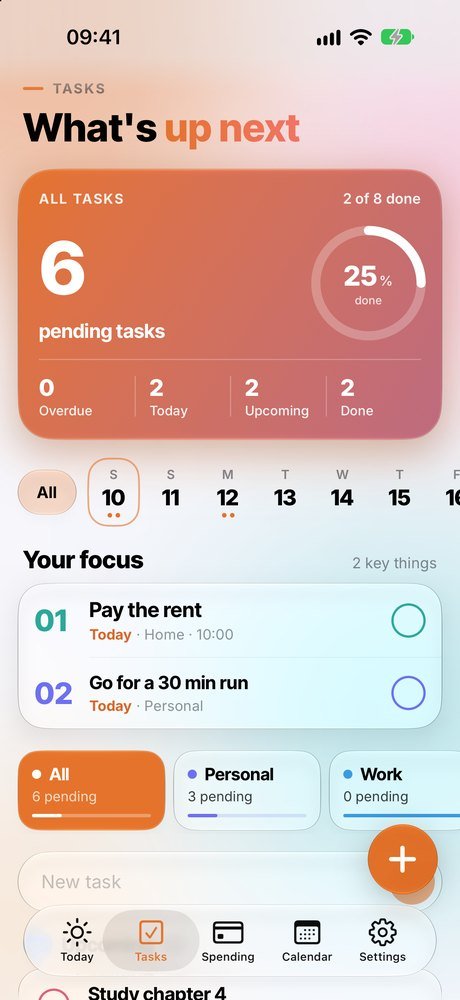
Lists, priorities, repeats and a weekly strip. “Your focus” shows what matters today so you never lose track.
RutinIA brings your tasks, habits, spending and agenda together in one app. Type a sentence and it understands it, plans your day and answers your questions. No accounts, no ads, and your data stays on your iPhone.
For iPhone · iOS 17 or later · Free, with optional RutinIA Plus
A 40-second walk through RutinIA: type a sentence, watch it create itself and tour your screens.
One app, one place. No more jumping between lists, spreadsheets and calendars.
Lists, priorities, repeats and a weekly strip. “Your focus” shows what matters today so you never lose track.
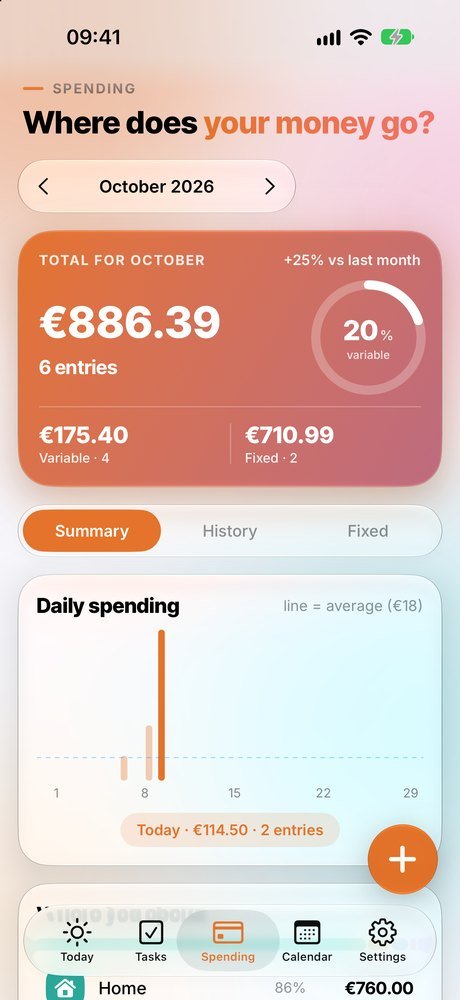
Log an expense in seconds and RutinIA guesses the category. Daily chart, comparison with last month and fixed expenses.
Your events and tasks in a single calendar, with the full month and today highlighted. It can also show your iPhone calendar.
XP, levels, badges and streaks that keep you going. A friendly nudge, not an obligation.
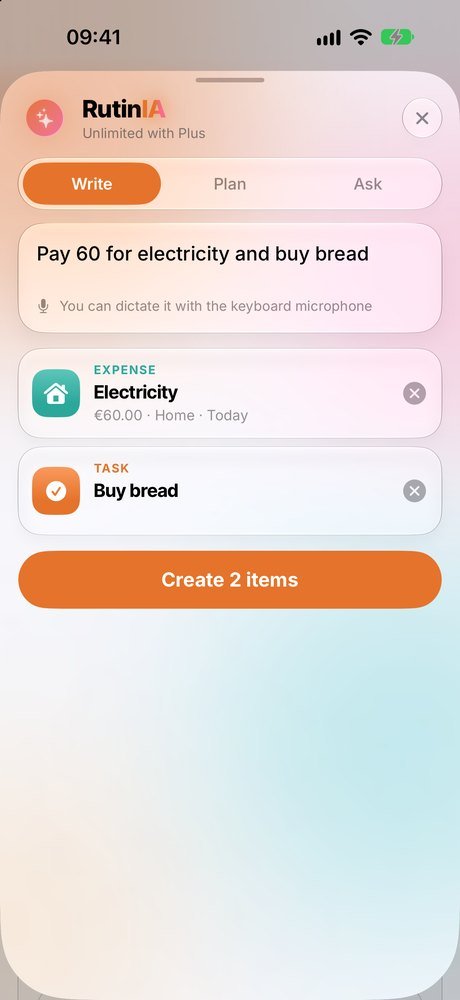
Create by typing, plan your day and ask about your data. Everything is computed on your iPhone, nothing leaves it.
Home screen widgets, accent colors, light and dark mode and alternate icons to make it yours.
Glass, color and smooth motion, with the look of Apple's native apps. Tap a tab to explore it.
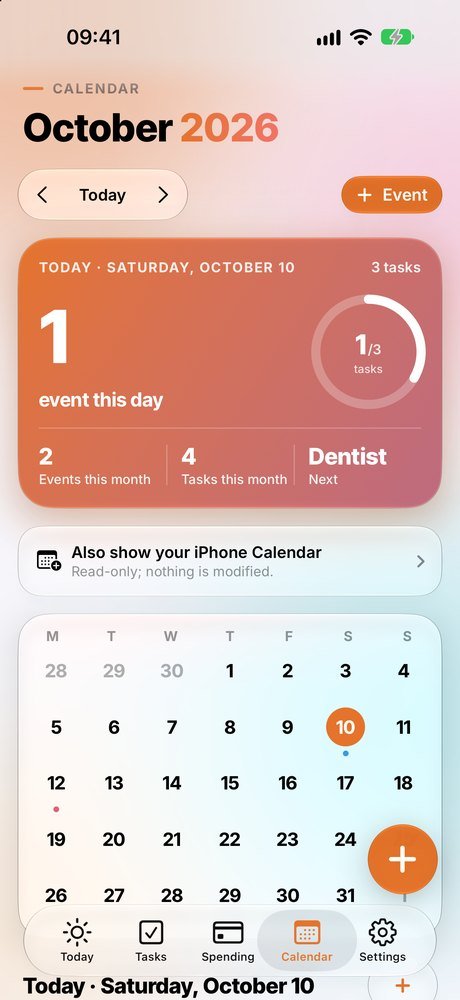
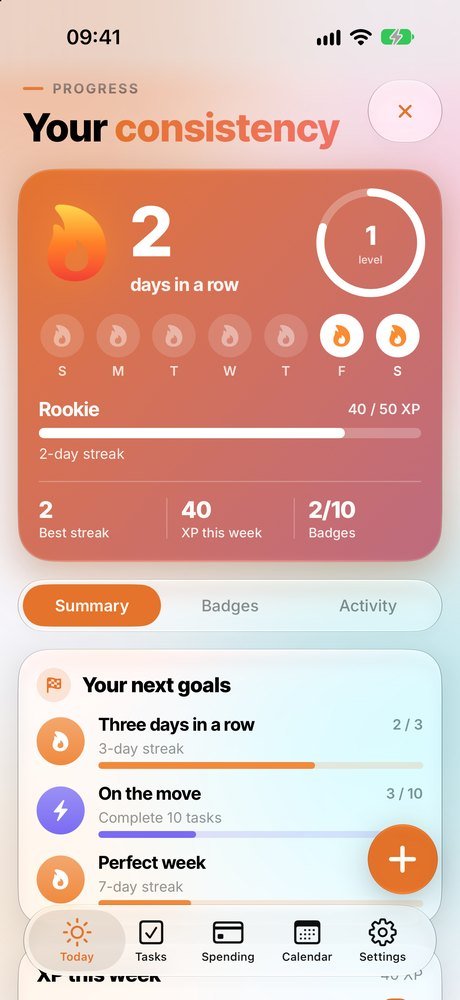
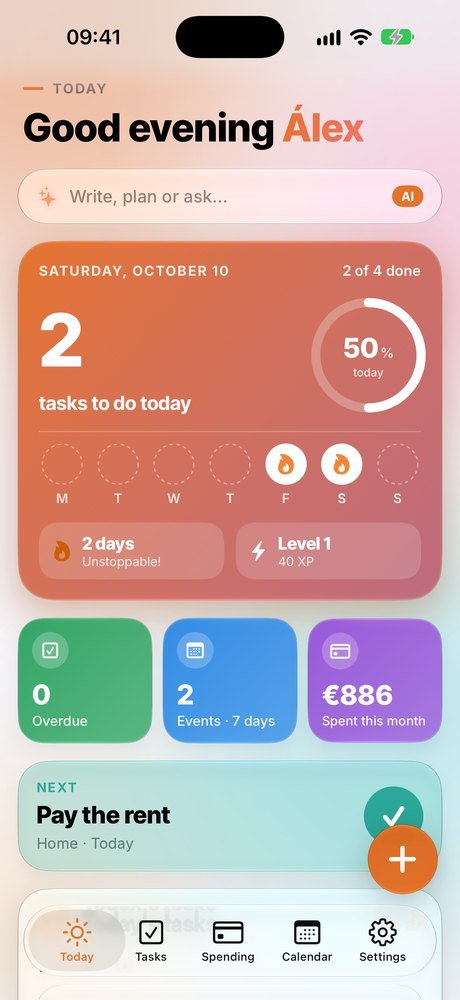
How many tasks are left, your streak, the week's events and what you've spent this month. And below, what to do next.
Three ways to save taps. Type the way you talk and RutinIA takes care of the rest.
One sentence can create several things at once: it understands amounts, times, days and priorities.
Spreads today's tasks across your free slots, respecting events and putting the urgent first.
Ask about your spending, tasks, agenda or streak and it answers with your real data.
🔒 RutinIA's intelligence runs on your iPhone: what you type is never sent to any server or used to train models.
Type a sentence the way you would in the app. This is a demo that runs in your browser: nothing is sent anywhere.
What RutinIA understands will show up here: tasks, events and expenses, with their date, time, amount and category.
RutinIA was designed so it doesn't need to know anything about you.
The essentials are free. RutinIA Plus adds comfort and personalization.
Only €1.67 a month · 7-day free trial · save 44%
Payment is charged to your Apple account when you confirm the purchase. The subscription renews automatically unless you cancel it at least 24 hours before the end of the period. You can manage or cancel it in your Apple account settings. Prices may vary by country. More information in the terms of use.
No. Open the app and start. There's no sign-up or login.
On your iPhone. If you turn it on (a Plus feature), also in your private iCloud so it syncs between your devices. I can't see your data.
No. Interpreting sentences, planning your day and answering questions all happens inside your iPhone, offline and without sending anything to servers.
Yes. Everything essential works offline. You only need internet to buy Plus and to sync with iCloud.
iPhone with iOS 17 or later. The full Liquid Glass design shows on iOS 26.
In your iPhone's Settings › your name › Subscriptions › RutinIA. You keep Plus until the end of the paid period.
Write to me from Settings › Send feedback inside the app, or at roberto_mayalde@hotmail.com. I read every message.
Free, no accounts, and ready in a minute.